Free online converter
Convert Markdown to Funnel Chart
Transform your Markdown data into beautiful Funnel Charts in seconds. No coding required - upload your data and create professional charts instantly.
Upload your Markdown file — the Funnel Chart is built from it in seconds
Chart type pre-selected: Funnel Chart. No stored copy of your rows, no hosted copy of your chart. No account needed.
| Stage | Value |
|---|---|
| Visitors | 10000 |
| Sign-ups | 4000 |
| Customers | 900 |
Data report · PDF, Word & PowerPoint
Not just one funnel chart. Several charts and findings from the same file, in a report and a deck.
Several charts, not one
Trends, breakdowns, distributions and relationships: the report draws the charts your columns support.
A written data report
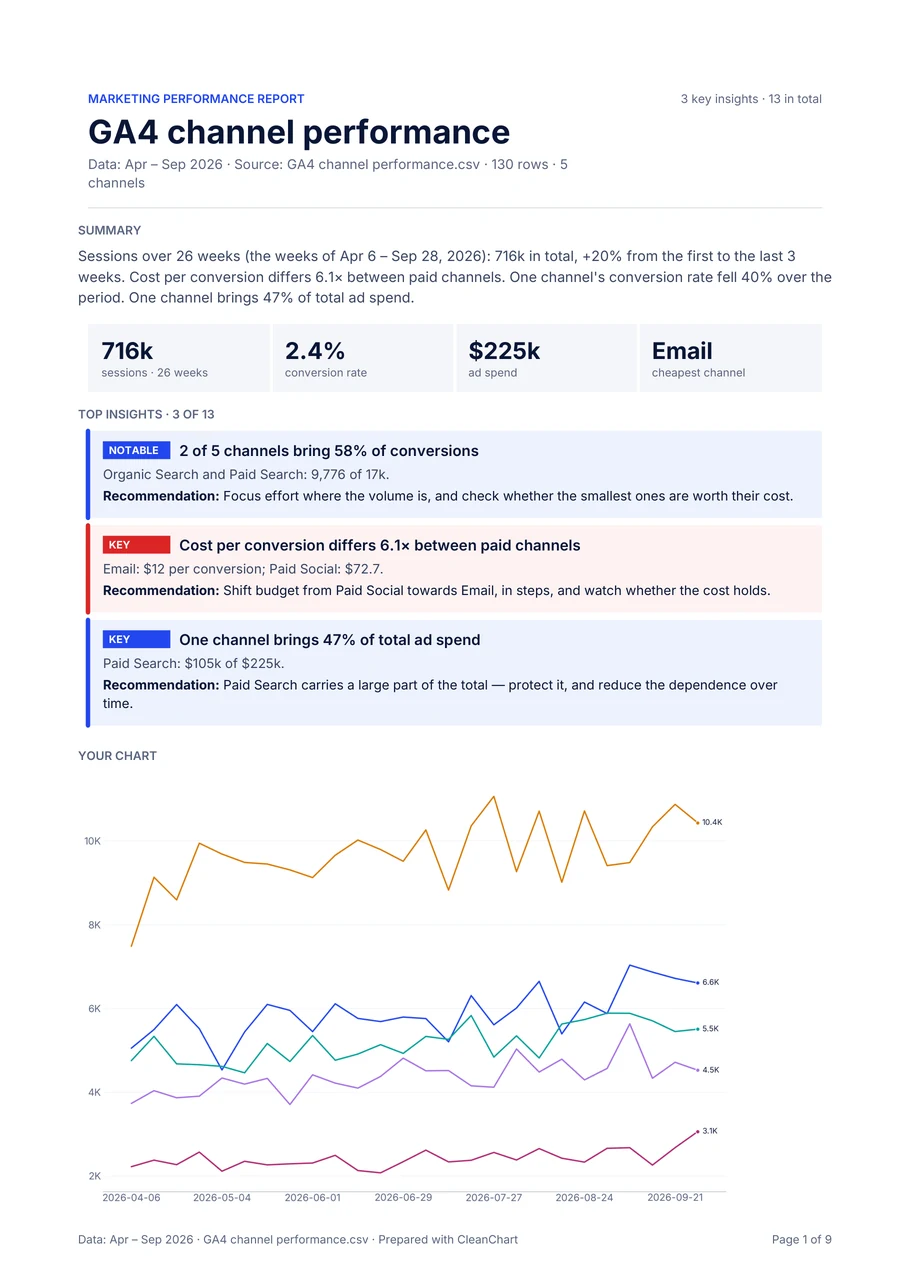
Page 1 is a one-page brief with key figures and the top 3 findings, then every finding with a recommendation. As a PDF and an editable Word file.
A PowerPoint deck
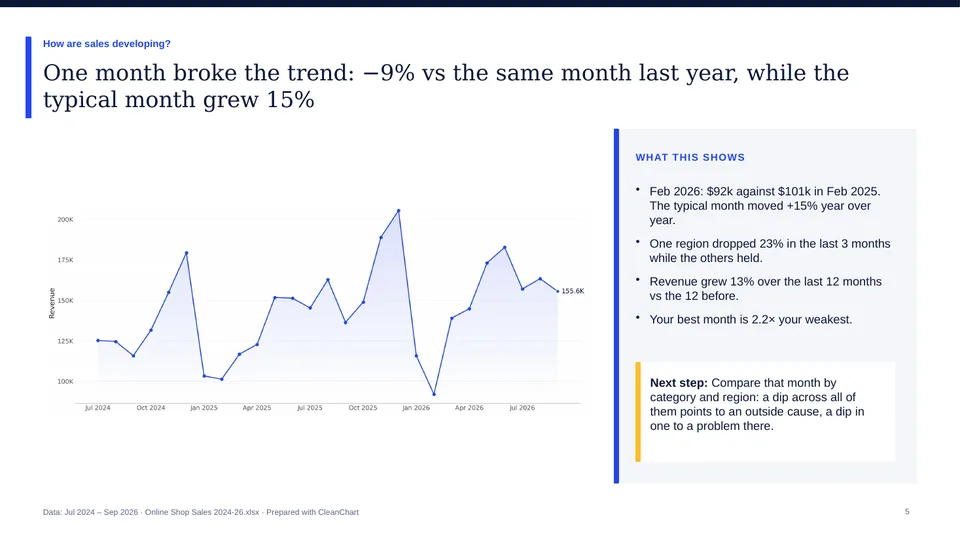
One slide per chart with its main finding as the title, plus the summary and the recommendations. Text and tables stay editable.
Upload your file above: page 1 of the report is a free preview when the file has 10 to 20,000 rows and enough findings. The report and the deck are included in the Deadline Pass ($4.99) and Pro. Open a sample marketing report
How to Convert Markdown to Funnel Chart
Upload Your Markdown Data
Drag and drop or click to upload your Markdown file (up to 2 MB).
CleanChart Auto-Processes Your Data
We automatically detect your data structure, clean formatting issues, and prepare your data for visualization.
Select Funnel Chart
Choose Funnel Chart from our chart type options. The chart preview updates instantly as you make selections.
Customize & Download
Adjust colors, labels, and styling to match your needs. Export a free watermarked PNG, or a clean PNG, SVG or PDF on a paid plan, for presentations and reports.
Why Convert Markdown to Funnel Chart?
Fast Analysis
Visualize patterns in your Markdown data instantly instead of scanning rows of numbers. Funnel Charts make trends and outliers immediately visible.
Better Presentations
Professional Funnel Charts make your reports and presentations stand out. Transform raw Markdown data into compelling visuals.
Easy Sharing
Export high-quality images ready for documents, slides, or social media. Share insights from your Markdown data effortlessly.
No Technical Skills Required
Point-and-click interface means anyone can create beautiful Funnel Charts from Markdown data. No coding or design expertise needed.
Sample Markdown data for a Funnel Chart
| Stage | Value |
| --- | --- |
| Visitors | 10000 |
| Sign-ups | 4000 |
| Customers | 900 |
Needs a category column (stages) and a numeric column (values). Upload a file laid out like this and CleanChart builds the Funnel Chart from it in seconds.
Columns a Funnel Chart needs
Match your columns to this layout for the best results. Download a starter file to get going fast.
Expected data layout
Needs a category column (stages) and a numeric column (values).
| Stage | Value |
|---|---|
| Visitors | 10000 |
| Sign-ups | 4000 |
| Customers | 900 |
About Markdown Data
Markdown is the universal lightweight markup language used in documentation, README files, wikis, and note-taking apps. CleanChart can extract data tables from Markdown files and convert them into charts instantly — no copy-paste or reformatting required.
Markdown tables follow a simple pipe-delimited syntax and are widely used in GitHub READMEs, Notion exports, Obsidian notes, and technical documentation. If your data is already in a Markdown table, simply upload the .md file and CleanChart will detect and import the first table automatically. This is ideal for developers and technical writers who maintain data inside documentation files.
Markdown Advantages:
- Works with GitHub READMEs
- Compatible with Notion and Obsidian exports
- No format conversion needed
- Automatic table detection
- Plain text and portable
Learn more about data formats: CSV specification, JSON.org, Microsoft Excel Help.
About Funnel Charts
Visualize stages and drop-off rates in a process. Funnel Charts are perfect for:
- Sales pipeline visualization
- Conversion rate analysis
- Customer acquisition funnel
- Checkout flow analysis
Helpful Guides & Resources
Frequently Asked Questions
Is it really free to convert Markdown to Funnel Chart?
Yes! CleanChart offers a free tier with chart creation capabilities. Premium features are available for advanced customization needs.
How large can my Markdown file be?
Uploads can be up to 2 MB, which is typically thousands of rows. For very large datasets, consider filtering or aggregating data first.
What happens to my data?
Your data is processed securely. We don't store it longer than necessary for chart creation. See our privacy policy for complete details.
Can I edit the Funnel Chart after creating it?
Yes! You can customize colors, labels, fonts, and more before downloading. Make changes and see them update in real-time.
Can I convert Markdown to other chart types?
Absolutely! The same Markdown data can generate bar charts, line charts, pie charts, and many more. Explore all 29 chart types.
Related Converters
Other Markdown Converters:
Create Funnel Charts From:
Ready to Convert Your Markdown Data?
Start creating professional Funnel Charts in seconds — no coding required.
Upload Your Markdown File Now