Use a diverging color palette when your data has a meaningful zero or midpoint and values fall on both sides of it, like profit vs. loss or approval vs. disapproval. It pairs two contrasting hues that meet at a neutral center, so the direction and size of a deviation are both visible at a glance. If your data doesn't have that kind of center, a sequential or categorical palette is the better fit, and this guide covers all three.
Updated October 1, 2026 with first-party usage data from CleanChart chart sessions.
This guide breaks down sequential, diverging, and categorical color palettes: what they encode, when to use them, real-world examples, and how to avoid the most common palette mistakes.
If you're new to color in charts, start with our introduction to color in data visualization. This guide goes deeper into palette selection specifically.
Why Palette Type Matters More Than Color Choice
Most people treat color in data visualization as an aesthetic decision. Pick colors that look nice together. But color in charts communicates meaning — and using the wrong palette type actively misleads your audience.
Color palettes encode data structure. Sequential palettes encode magnitude (low to high). Diverging palettes encode deviation from a center point. Categorical palettes encode group membership. Using a sequential palette for categorical data implies a ranking that doesn't exist. Using a categorical palette for continuous data loses quantitative information entirely.
The three palette types correspond to three different data structures. Match the palette type to your data structure, and your chart becomes immediately more readable — without changing anything else.
The Three Types of Color Palettes at a Glance
| Palette Type | Data Type | Example Use Cases | Color Direction |
|---|---|---|---|
| Sequential | Ordered / continuous | Population density, revenue, temperature | Light → dark (one hue) |
| Diverging | Centered / bipolar | Profit/loss, approval ratings, sentiment | Color A → neutral → Color B |
| Categorical | Nominal / unordered | Product categories, regions, chart series | Distinct hues (no implied order) |
Which Palette Type Do CleanChart Users Actually Need?
To see how often each palette type actually comes up in practice, we pulled aggregate usage data from CleanChart chart sessions. The short version: categorical palettes, not diverging or sequential, are what most people need most of the time. That's exactly why getting the categorical set right (distinct, colorblind-safe hues) matters more often than any other palette decision.
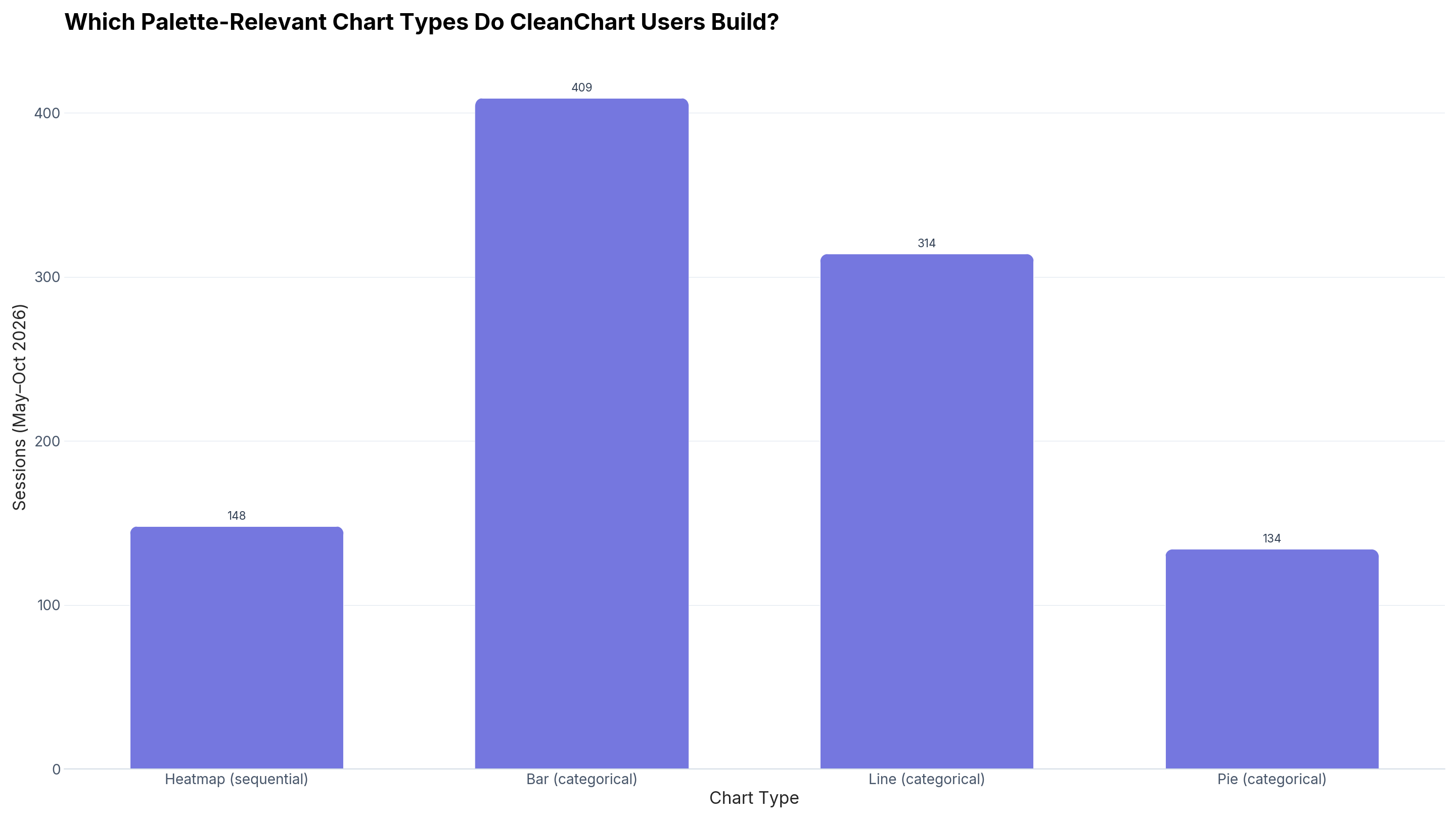
What about diverging palettes specifically? We looked for waterfall chart sessions (the clearest diverging-palette use case, profit vs. loss) over the same window and found only 5 — below the 50-session minimum we require before publishing a stat. TODO(data): revisit once waterfall volume grows; for now, treat "diverging palettes are needed less often than categorical or sequential" as directionally true rather than a published number.
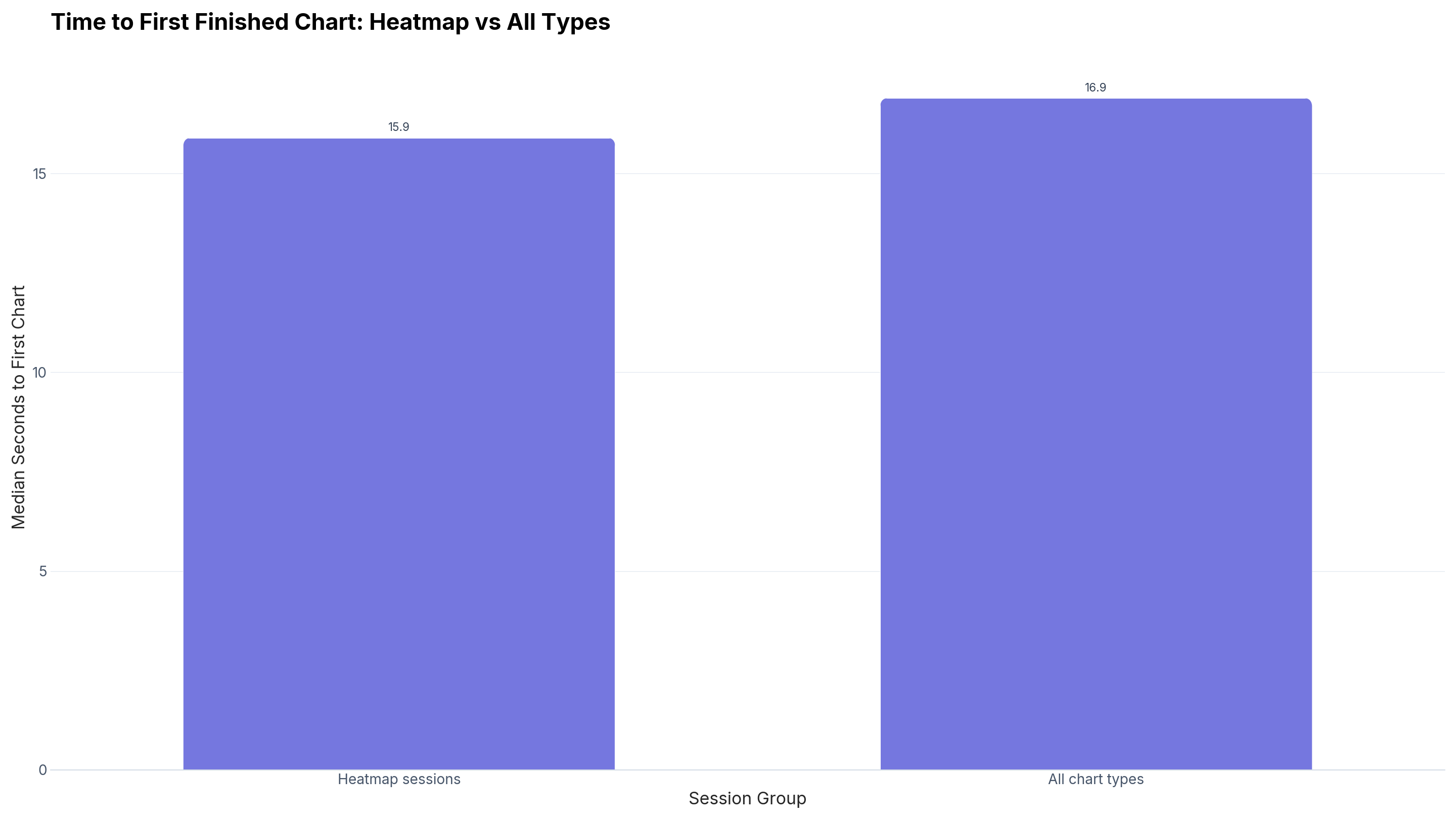
Does a sequential-palette chart type take longer to build correctly? Not on CleanChart: if anything, the opposite.
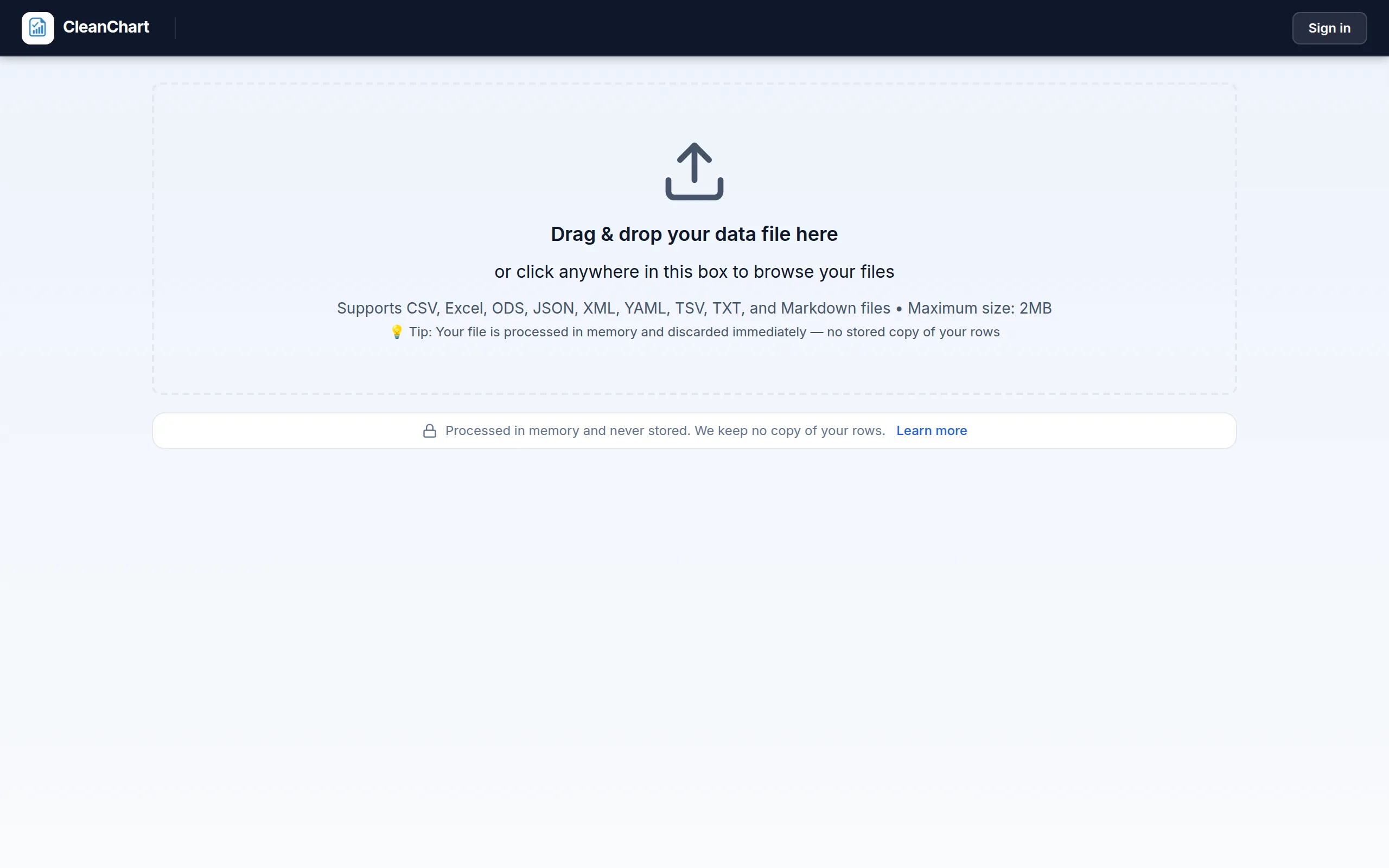
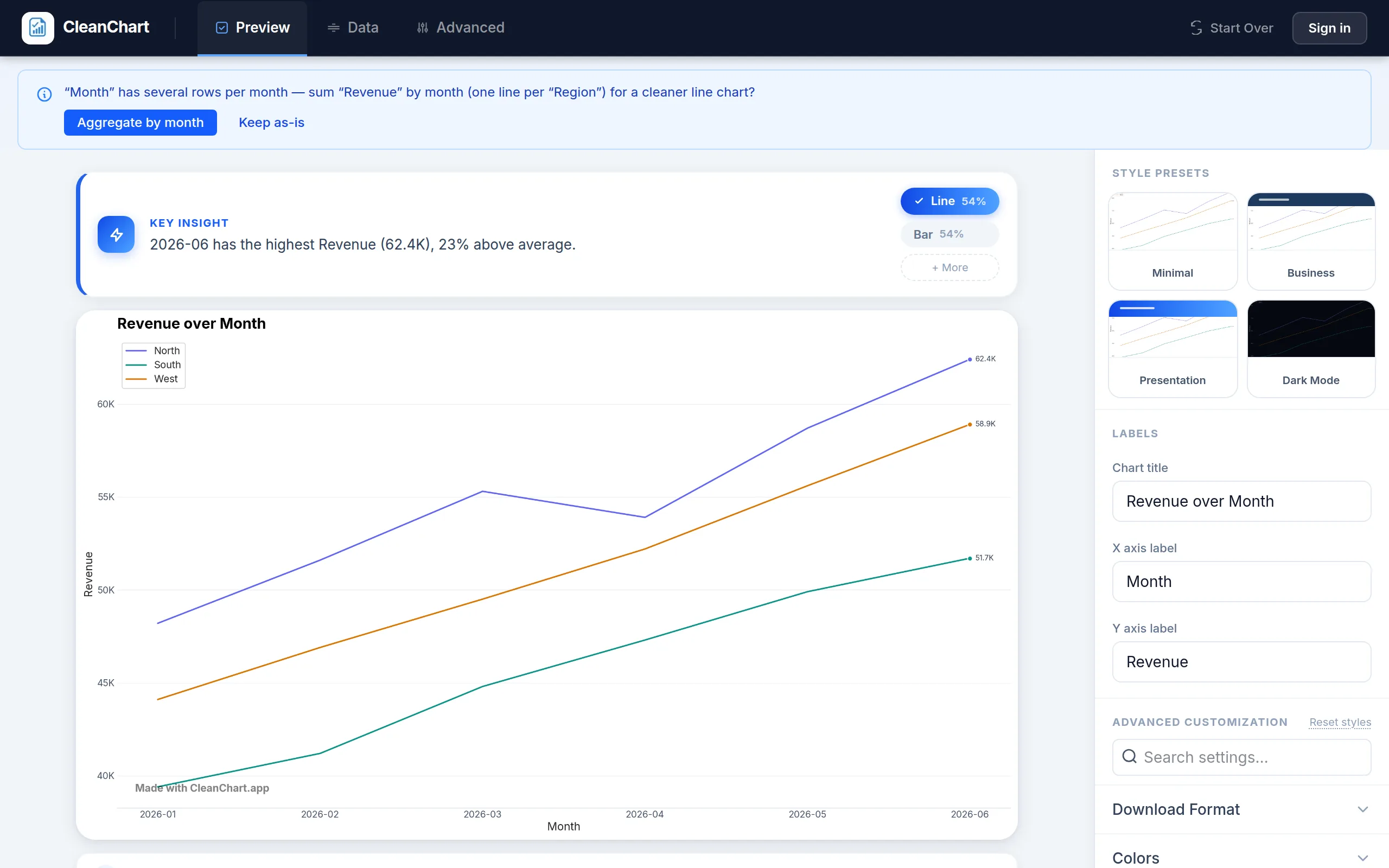
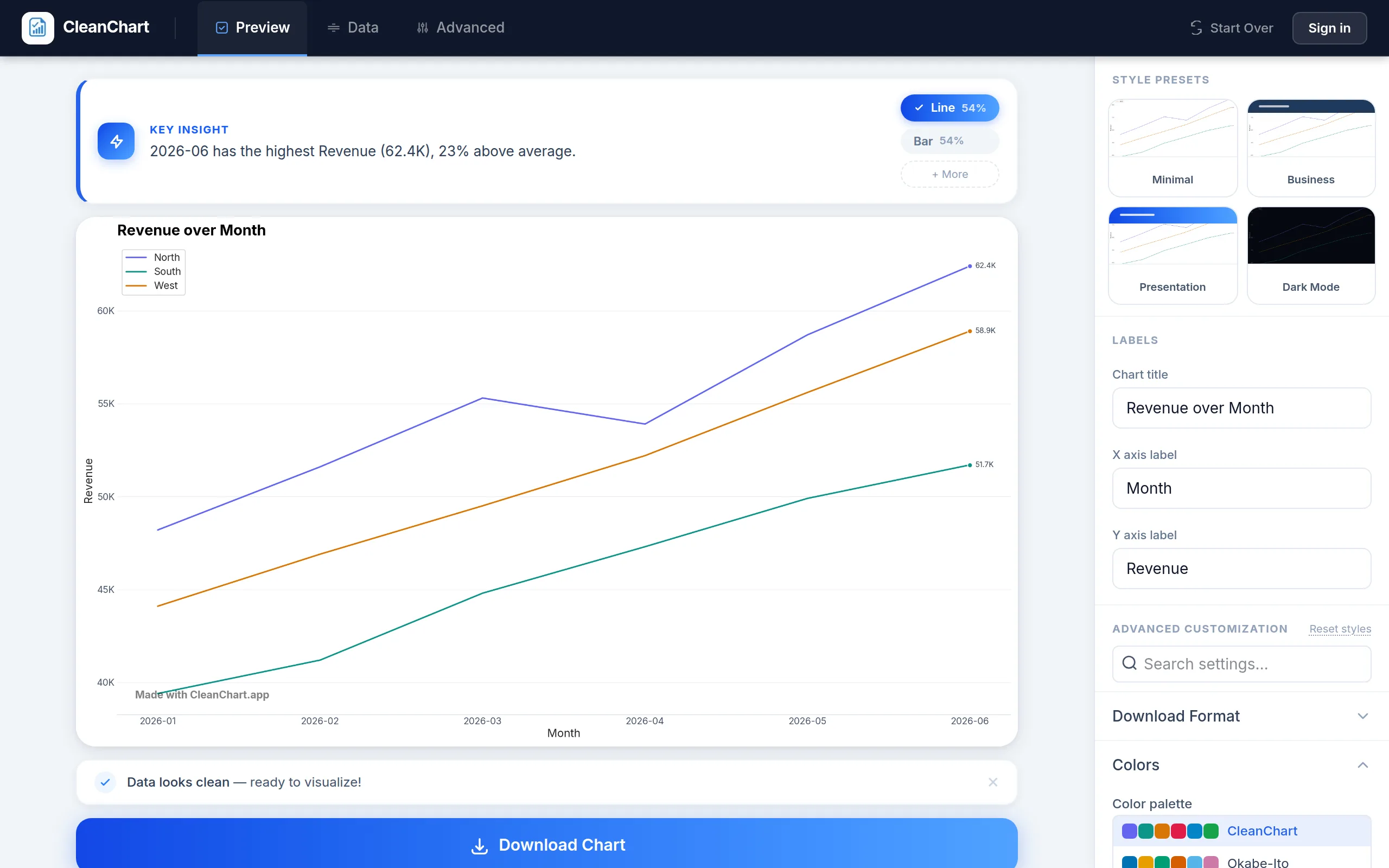
Here's that automatic recommendation in the app: upload a file, and CleanChart picks a chart type and a starting palette for you within seconds.
Sequential Color Palettes
What is a sequential color palette?
A sequential color palette progresses from a light color (low values) to a dark color (high values) within a single hue — or between two related hues. Color intensity encodes magnitude: darker always means more. These palettes are appropriate when your data has a natural ordering from a meaningful zero point: population counts, revenue, temperature, density, frequency.
When to use sequential palettes
- Heatmaps: Cell values range from low to high — sequential colors make magnitude immediately visible. Our heatmap maker uses sequential palettes by default for this reason.
- Choropleth maps: Geographic regions shaded by a single variable (unemployment rate, income, etc.)
- Bubble charts: When bubble color encodes a third quantitative variable alongside X/Y position. See bubble chart maker.
- Single-series bar charts: When bars represent different magnitudes of the same metric and you want to reinforce the magnitude difference visually.
Best sequential palettes
The most widely respected sequential palettes for data visualization come from ColorBrewer2.org, designed specifically for maps and charts by cartographer Cynthia Brewer. Top choices:
- Blues / Greens / Oranges: Single-hue sequences — universally readable, safe for colorblind viewers
- YlOrRd (Yellow-Orange-Red): High-contrast progression for density data
- Viridis: Multi-hue sequential palette, perceptually uniform and colorblind-safe — the modern default for scientific visualization
- Plasma / Inferno: Dark-background variants, excellent for dark mode charts and print
Colorblind safety: Single-hue sequential palettes (Blues, Greens) are safe for all forms of color blindness since lightness variation remains visible regardless of hue perception. Multi-hue palettes like YlOrRd may have issues for red-green colorblindness. See our full colorblind accessibility guide.
Sequential palette mistakes to avoid
- Rainbow/spectrum palettes: Rainbow colors have no consistent magnitude ordering and create false visual boundaries. Stick to perceptually uniform palettes like Viridis or Blues.
- Starting from pure white: Very light values disappear against white backgrounds. Start from a light-but-visible hue.
- Too many steps: Human vision distinguishes about 6–8 lightness levels reliably. More steps don't add information — they add confusion.
Diverging Color Palettes
What is a diverging color palette?
A diverging color palette uses two contrasting hues that converge at a neutral middle (white, light gray, or pale yellow), with the darkest colors at both extremes. It encodes deviation from a meaningful midpoint — values above center get one color family, values below get another, and the midpoint is visually obvious.
When to use diverging palettes
Use a diverging palette when your data has a meaningful center point representing neutrality, zero, or average:
- Profit and loss: Zero is meaningful — profit (green family) vs. loss (red family). The waterfall chart maker is a natural fit here.
- Sentiment analysis: Positive vs. negative sentiment with neutral in the middle
- Survey data (Likert scales): Agree/disagree scales centered on "neither agree nor disagree". See our charts for survey data guide.
- Temperature anomalies: Above-average (warm colors) vs. below-average (cool colors) relative to historical mean
- Before/after changes: Positive change vs. negative change from a baseline
Best diverging palettes
- RdBu (Red-Blue): The most versatile diverging palette — red for one extreme, blue for the other, white at center. Safe for most contexts.
- PiYG (Pink-Green): A colorblind-safe alternative to RdBu
- RdYlGn (Red-Yellow-Green): Traffic light metaphor — intuitive but problematic for red-green colorblind viewers
- BrBG (Brown-Blue-Green): Excellent for environmental data (drought vs. flood, dry vs. wet)
Diverging palette mistakes to avoid
- Using diverging without a meaningful center: If zero is not meaningful for your data, a diverging palette implies a midpoint that doesn't exist. Use sequential instead.
- Not centering at the actual midpoint: If your data ranges from −10 to +50, the palette center should still be at zero — but most of your chart will look warm. Either normalize the data or reconsider whether diverging is appropriate.
- Red-green for accessibility: The classic red/green diverging scheme is unreadable for red-green colorblind viewers (~8% of men). Use RdBu or PiYG instead.
Categorical Color Palettes
What is a categorical color palette?
A categorical color palette (also called a qualitative palette) uses visually distinct hues to represent different groups or categories — with no implied ordering between them. Each color is a label, not a position on a scale. The goal is maximum perceptual separation between colors so groups are easy to distinguish.
When to use categorical palettes
Use categorical palettes any time your color encodes group membership with no inherent order:
- Multi-series line charts: Each line represents a different product, region, or metric
- Grouped bar charts: Each color represents a category within groups. See grouped bar chart maker.
- Pie and donut charts: Each slice is a distinct category. See donut chart maker and pie chart maker.
- Scatter plots with multiple groups: Color differentiates data points by category. See scatter chart maker.
- Radar/spider charts: Different series for each color. See radar chart maker.
Best categorical palettes
Good categorical palettes maximize perceptual distance between colors:
- Okabe-Ito: Specifically designed to be distinguishable under all common forms of color blindness — the gold standard for accessible categorical palettes
- Tableau 10: Well-designed and widely recognized from Tableau's default styling
- Set1 / Set2 / Set3 (ColorBrewer): Classic qualitative palettes with good hue distinction
- D3 Category 10: Widely used in web-based data visualizations
For a full curated review of the best categorical palettes, see our data visualization color palettes guide.
Categorical palette mistakes to avoid
- Too many categories: Human vision reliably distinguishes about 6–8 colors in a chart. More than that and colors blur together. Group smaller ones into "Other" or restructure your chart.
- Similar hues for adjacent elements: Colors that are too close (two warm reds, two muted blues) will be confused. Maximize hue difference between adjacent categories.
- Using categorical palettes for ordered data: If your categories have a natural order (Low/Medium/High, Q1/Q2/Q3/Q4), a sequential palette communicates that order. Categorical palettes throw that information away.
How to Choose the Right Palette: A Decision Framework
Ask yourself these three questions in order:
1. Does your color encode a continuous numerical variable?
If yes: choose sequential or diverging. If no (color encodes group labels): choose categorical.
2. Is there a meaningful neutral midpoint in your data?
If yes (zero, average, or a baseline that represents neutrality): use diverging. If no: use sequential.
3. Are your categories ordered or unordered?
If ordered (severity levels, Likert scale, ranked tiers): consider sequential to reinforce the order. If unordered (regions, product names, demographic groups): use categorical.
When in doubt, default to categorical. It's harder to make categorical palettes actively misleading than to accidentally misuse a sequential palette for nominal data.
Common Cross-Palette Mistakes
Rainbow palettes masquerading as sequential
The classic "jet" or full-spectrum rainbow colormap is technically sequential in that it covers a range, but hue changes don't correspond consistently to magnitude changes. Red and blue both look "extreme" even though one represents low and one represents high. Worse, rainbow palettes create false visual boundaries where colors shift sharply. Use Viridis or Blues instead.
Traffic light colors as neutral categories
If you use red, yellow, and green as categorical colors, viewers unconsciously read them as bad/warning/good — even when you intend them as neutral group labels. This creates unintended emotional responses. Use truly neutral hues for categories with no quality judgment.
Lightness gradients for categorical data
Using different shades of the same hue for different categories (light blue = Product A, medium blue = Product B, dark blue = Product C) implies Product C is "more than" A and B. Use distinct hues from a proper categorical palette instead.
Color Palettes in CleanChart
In CleanChart, you can switch palettes in the Colors section of the chart settings panel. For bar, line, pie, and scatter charts, that list mixes traditional categorical sets (CleanChart, Okabe-Ito, Tab10, Business) with continuous-style options (Viridis, Plasma, Cool-Warm, Red-Blue) for when a sequential or diverging look fits the data better than distinct category colors. Heatmaps get a dedicated colormap picker instead (Cool-Warm, Red-Blue, Viridis, Plasma, Yellow-Red, and more), tuned for true sequential and diverging use since color is the data there, not just a category label.
For charts destined for publication or presentations with strict style requirements, see our guide to publication-ready charts. You can also generate any of these chart types programmatically, colors and all, through our chart MCP server from inside Claude, Cursor, or ChatGPT.
Frequently Asked Questions
What is the difference between a sequential and diverging color palette?
A sequential palette progresses from light to dark in a single direction, encoding magnitude from low to high. A diverging palette uses two contrasting color families meeting at a neutral center, encoding values that deviate above or below a meaningful midpoint (like zero or average). Use sequential for "how much" data; use diverging for "above or below baseline" data.
When should I use a categorical color palette?
Use a categorical (qualitative) palette when your colors represent different groups with no inherent order — product names, geographic regions, demographic groups, or chart series. Categorical palettes use distinct hues to label groups, not to show magnitude or ranking. If your categories have a natural order, use a sequential palette instead to communicate that ordering visually.
How many colors can I use in a categorical palette?
The practical limit for categorical palettes is 6–8 distinct colors. Beyond that, viewers struggle to match legend colors to chart elements reliably. If you have more than 8 categories, consider grouping smaller ones into "Other", using small multiples, or switching to a chart type that doesn't rely on color to differentiate (like separate panels or labeled bars).
Are rainbow color palettes bad for data visualization?
Yes, in most cases. Rainbow palettes create false visual boundaries where colors shift sharply, implying data discontinuities that don't exist. They're also perceptually non-uniform — some transitions appear steeper than others — and are problematic for colorblind viewers. Use Viridis, Blues, or another perceptually uniform sequential palette instead. The one exception is when deliberately highlighting specific value ranges, but even then better alternatives exist.
Which color palette is best for colorblind viewers?
For categorical palettes, the Okabe-Ito palette is specifically designed to be distinguishable under all common forms of color blindness. For sequential palettes, Viridis and Cividis are excellent colorblind-safe choices. Avoid red-green diverging palettes (like RdYlGn) — use RdBu or PiYG instead. For a comprehensive guide, see our colorblind accessibility guide.
Related CleanChart Resources
- Color in Data Visualization — foundational color theory for charts
- Best Color Palettes for Data Visualization — curated palette recommendations with examples
- Making Charts Accessible for Color Blind Viewers — full colorblind-safe palette guide
- Dark Mode Charts: Color Best Practices — adapting palettes for dark backgrounds
- Publication-Ready Charts — professional chart standards including palette requirements
- Heatmap Maker — see sequential palettes in action
- Bar Chart Maker — categorical palettes for comparison charts
- Scatter Chart Maker — categorical palettes for grouped data points
- Bubble Chart Maker — sequential palettes for encoding a third variable
External Resources
- ColorBrewer2.org — the authoritative source for cartographically designed sequential, diverging, and categorical color palettes, with colorblind-safe filters
- Scientific Colour Maps (Crameri) — perceptually uniform color maps designed for scientific data visualization and publication
- NerdSip — bite-sized lessons on data visualization including color theory and palette selection
Last updated: October 1, 2026